Habitat Monitoring System
A LoRa sensor node, a radio gateway and a .NET system that watches a habitat's temperature, humidity and light: a Windows dashboard, a collector service with a REST and SignalR API, a RabbitMQ edge node and a browser app, with a data link you can trust and tools for working without the hardware.
- Status
- Active
- Read
- 5 min
- Source code
- Private repository
- 561Automated tests
- 101 of 108Requirements with linked tests
The problem
A terrarium or small greenhouse needs steady temperature, humidity and light, and the person looking after it is not always in the room. The habitat has no network, but a desk PC is within radio range. The system has to measure the conditions, carry them reliably over a cheap radio link, show them clearly and warn when something goes wrong, without ever showing a damaged or made-up reading as if it were real. Later it had to do more: record around the clock, and show the same live data on several screens at once, a second PC or a phone, without losing a reading when one part restarts.
What I built
- Sensor node (Arduino Mega, FreeRTOS): reads a DHT22 and a light sensor and sends a packet over LoRa 433 MHz every 15 seconds.
- Gateway (Arduino Mega on USB): receives the packets, adds the radio signal quality and a checksum, and forwards each one as a single line to the PC.
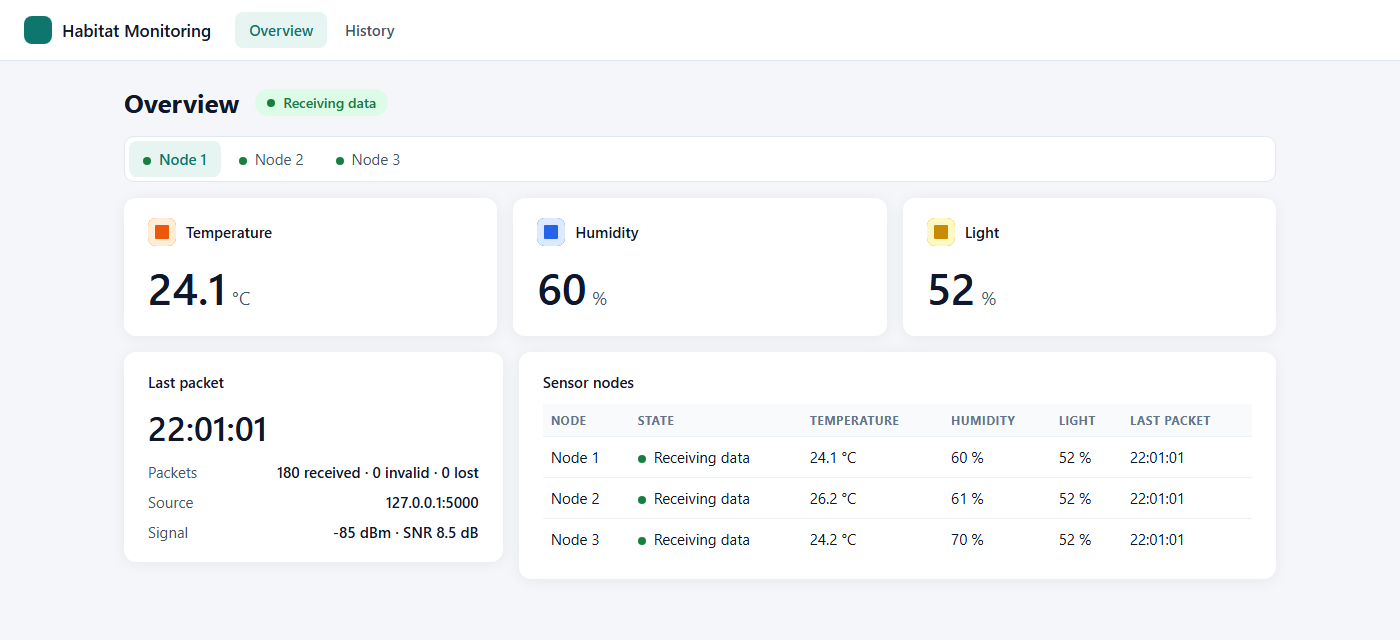
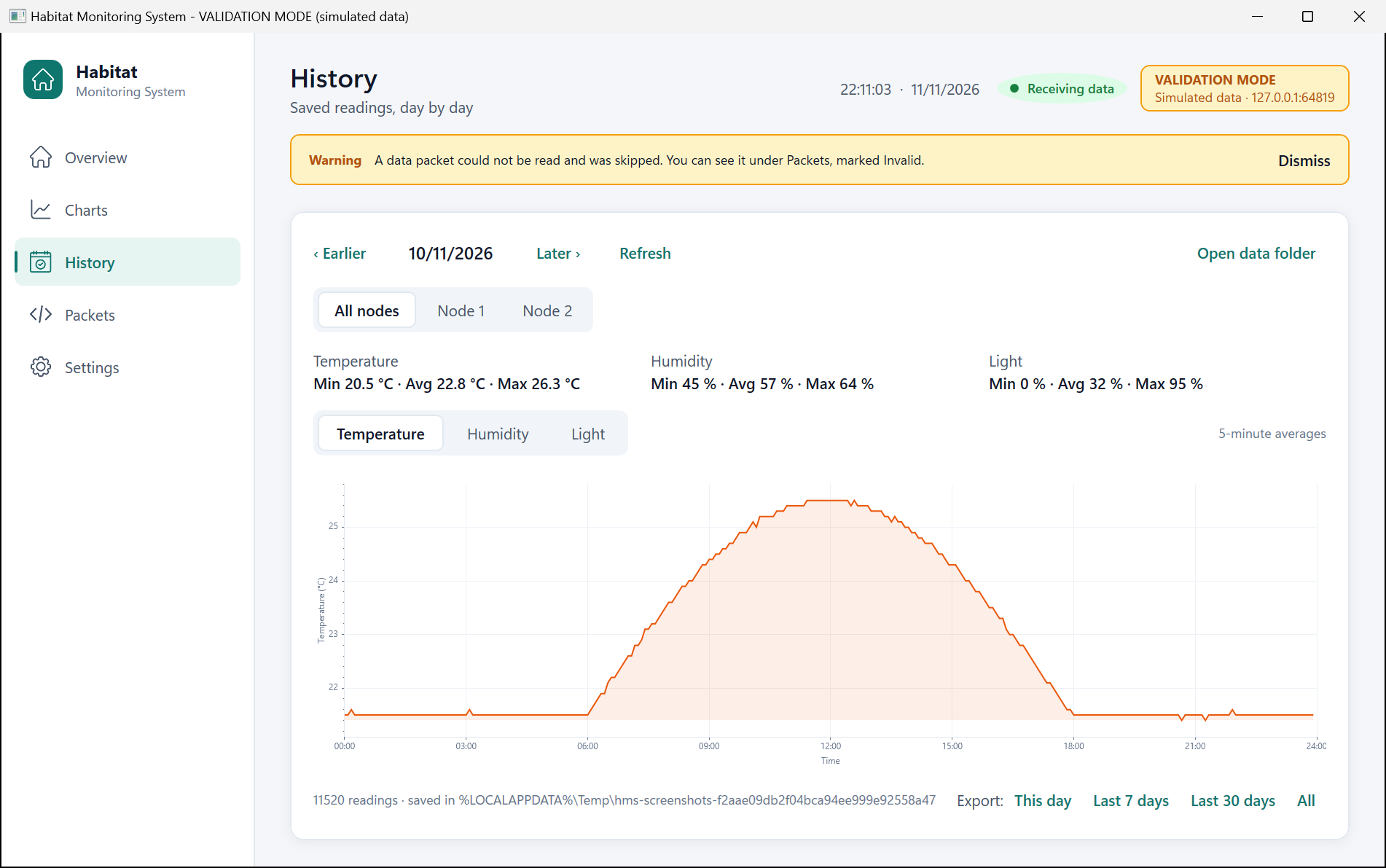
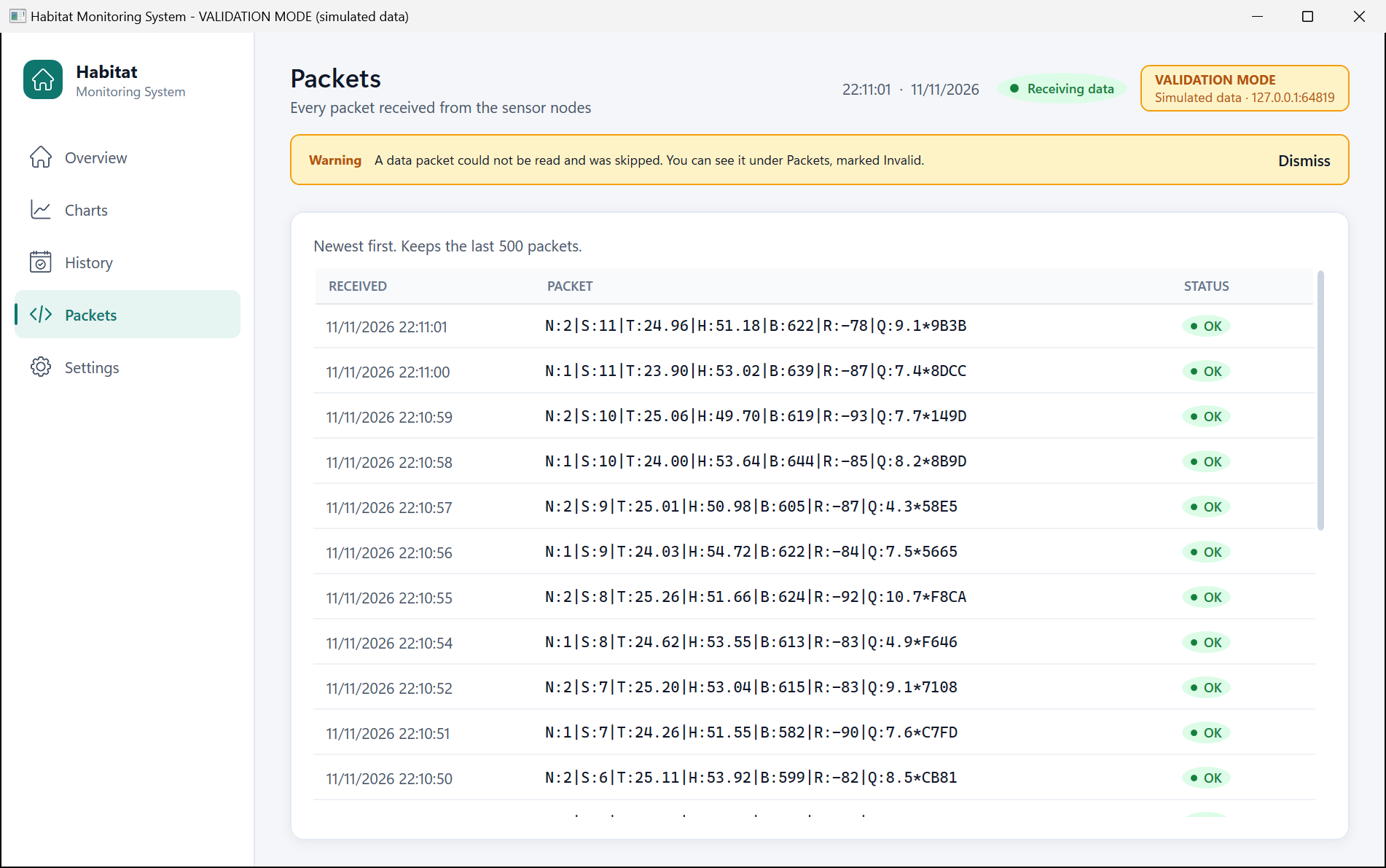
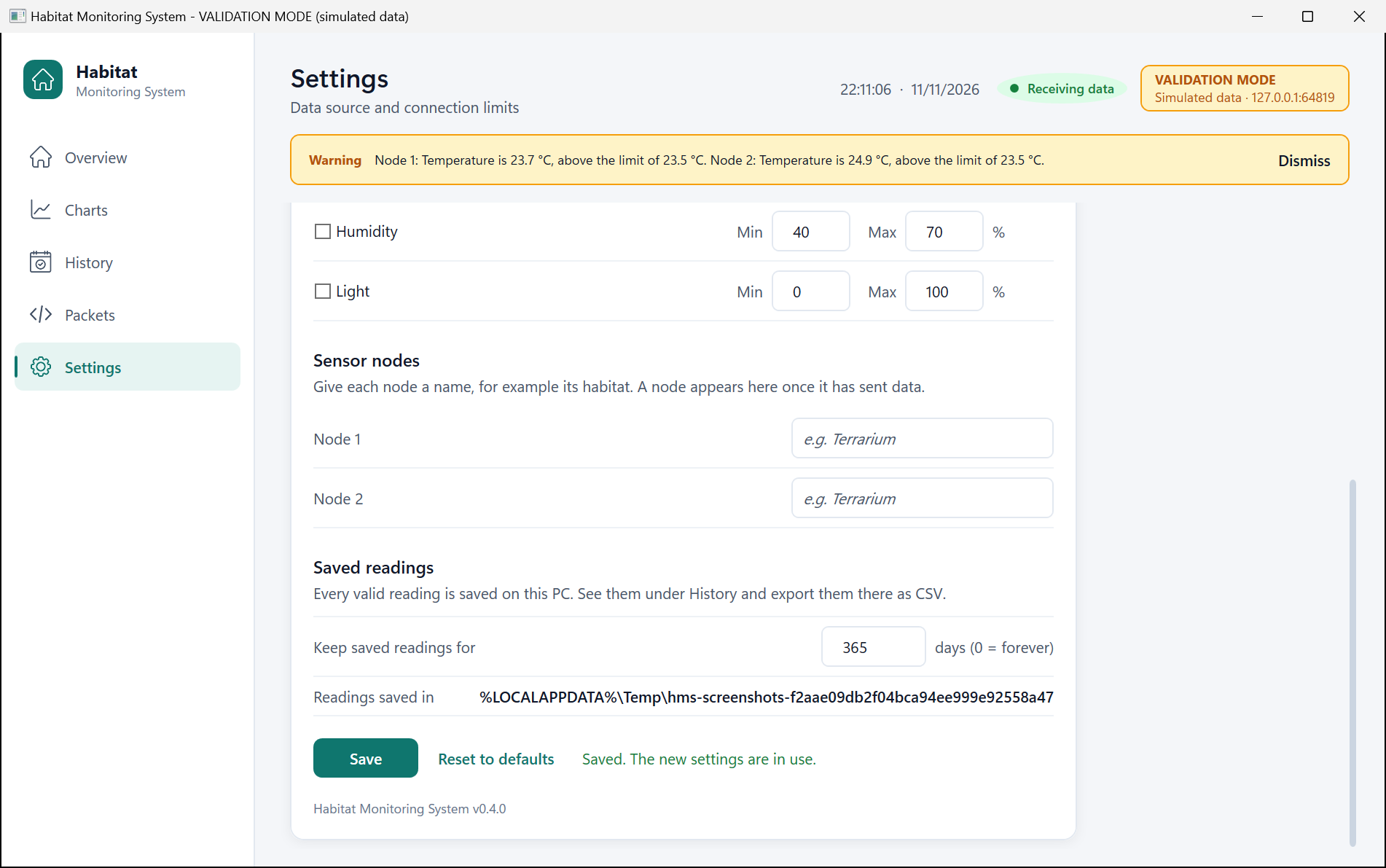
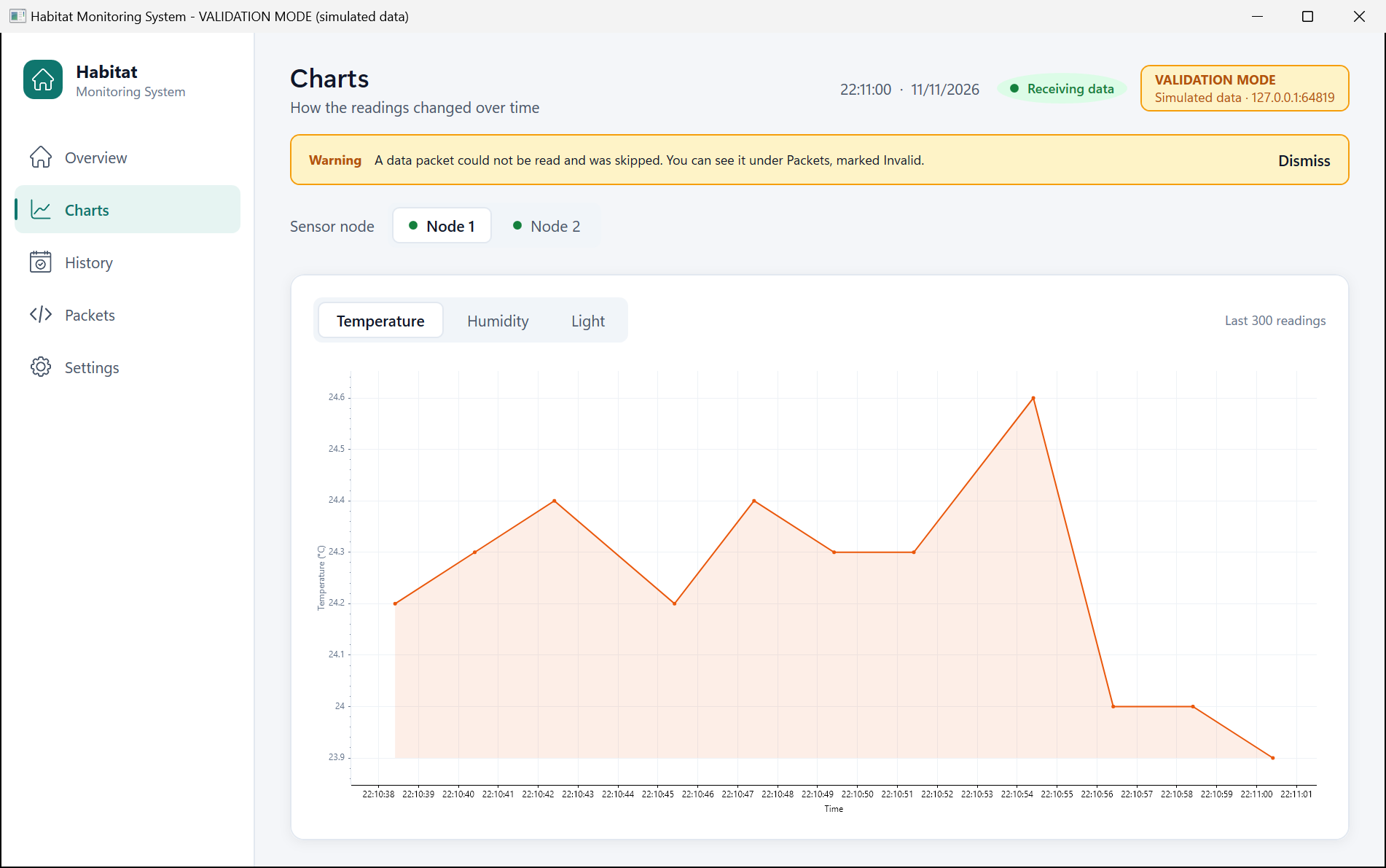
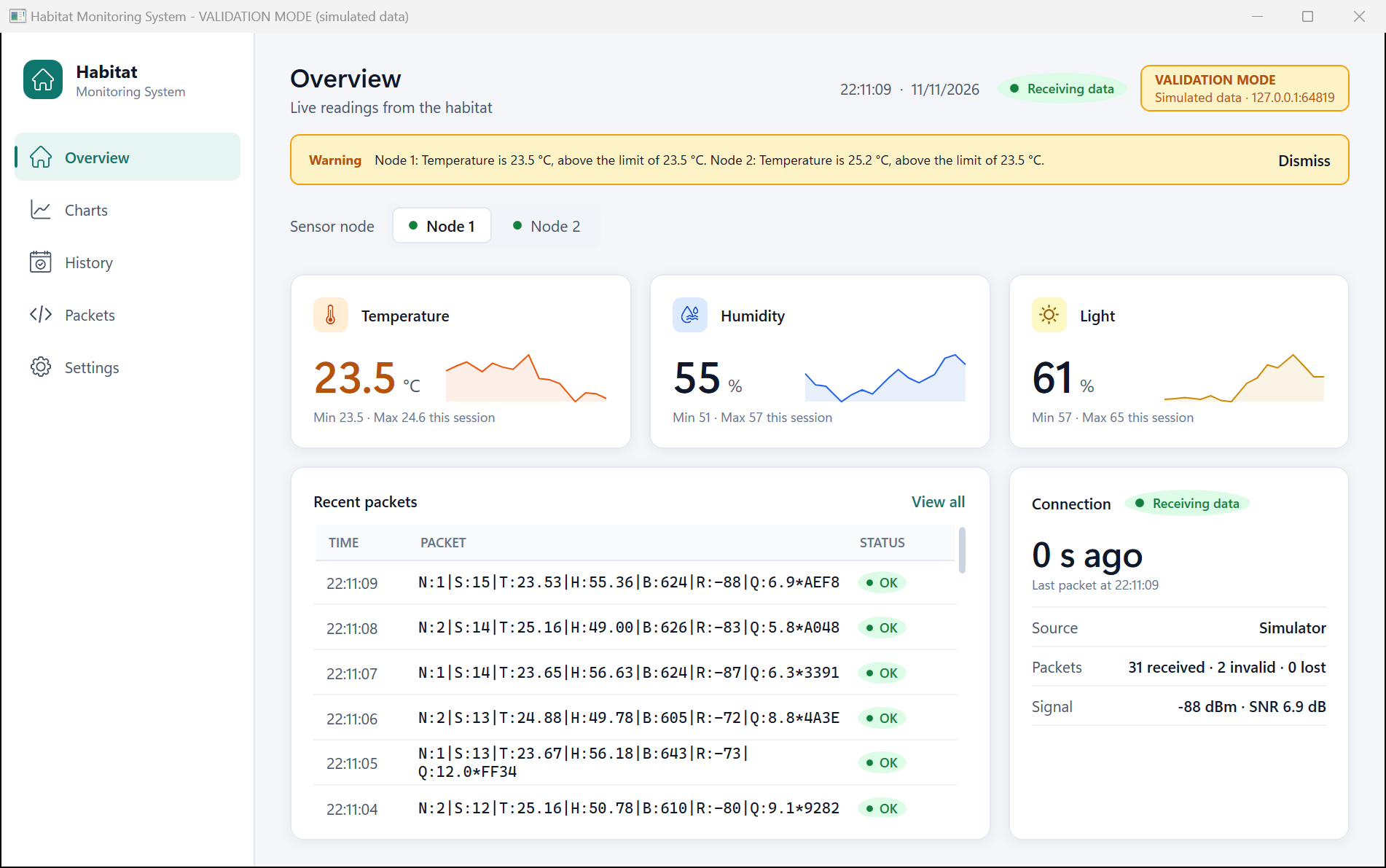
- Desktop app (.NET 10, WPF): a live overview per sensor node, charts, every received packet with its status, a day-by-day history stored in SQLite with CSV export, and alerts with user-defined limits. It runs on its own, or in remote mode as a client of the collector, with the same pages and settings that apply to every screen. It installs per user without admin rights.
- Collector service (ASP.NET Core): records without a window, also as a Windows Service, and serves the live state, history and settings over a versioned REST API with OpenAPI, live updates over SignalR, health checks and metrics.
- Edge node and message broker (.NET worker, RabbitMQ): the PC with the receiver forwards every line through RabbitMQ to the collector, keeping the lines in a local outbox while the network or the broker is down.
- Web app (Blazor): the live overview and the history in any browser on the home network, including a phone.
- Tools for working without hardware: an IoT simulator (Python, PySide6) and a scenario-driven gateway emulator (.NET) that plays an unplugged gateway, silent nodes, radio loss and damaged lines. The app then runs in a clearly marked validation mode, and simulated data is stored apart from real data. One command starts the whole distributed system for development (.NET Aspire), and Linux container images with Docker Compose run it.
The screenshots on this page come from the real apps running with simulated data.
Key engineering decisions
- A packet is accepted whole or not at all. Every line is parsed into a complete reading before anything changes;
values outside the sensors' measuring ranges,
NaN, repeated fields and numbers in another format are refused. The first version updated fields one by one, so half of a broken packet could reach the charts, and a comma decimal such as5,5was read as 55. - End-to-end integrity on both hops. The radio's own CRC protects the air link; the gateway adds a CRC-16 over the line it prints, so damage on the serial link is detected too. Sequence numbers reveal lost packets without counting a node restart as loss.
- One contract, three implementations, one set of test vectors. The packet format is written down once, and the same JSON test vectors are checked by the C# parser, the Python simulator and a host test of the C checksum, so the sides cannot drift apart.
- Layers that point inwards. Domain rules, use cases, adapters (serial, TCP, SQLite, RabbitMQ, HTTP) and view models are separate projects with no WPF outside the window layer, so almost all behaviour is covered by fast unit tests; architecture tests stop the dependencies from creeping back. The desktop app, the collector and the edge node are different hosts of the same ingest pipeline, not three copies of it.
- No reading lost, none saved twice. The edge node writes each line to a local outbox and deletes it only after the broker confirms it; the collector acknowledges a message only after the reading is saved, and a unique key per origin turns a redelivered message into a no-op. Only the collector parses lines, so there is one parser and one protocol version.
- The remote desktop app swaps the data source, not the screens. In remote mode the view models talk to the same ports, implemented over the collector's API; loading moved off the UI thread for both modes. When the collector cannot be reached the last values stay on screen, marked as old, and the app reconnects by itself and fetches the lines it missed, in order.
- Secure by default on a home network. Nothing is reachable from another PC until it is protected by a key or an access code, keys never sit in code, files or logs, and each service gets only the rights it needs. A security review is part of every release.
- Tests against the real pieces, not only mocks. UI tests start the real app and drive it through UI Automation while the test plays the radio gateway; broker tests run against a real RabbitMQ in a container and cut the connection on purpose. Mocks cannot show a lost connection or a restarted service the way the real parts do, and that is where a monitoring system has to behave well. Every bug fix starts with a test that fails before the fix.
- Firmware that respects the hardware. The sensor tasks hand over values by copy through one-slot FreeRTOS mailboxes; stacks are sized in bytes for the AVR; packets are built in fixed buffers; the gateway reads the radio from a task instead of inside an interrupt.
- Clear messages, never a blocking dialog. One inline banner shows the most important notice: a lost connection outranks an alert, which outranks a single bad packet.
Screenshots